ወደ ነካ የተጠቃሚ መመሪያ እንኳን በደህና መጡ
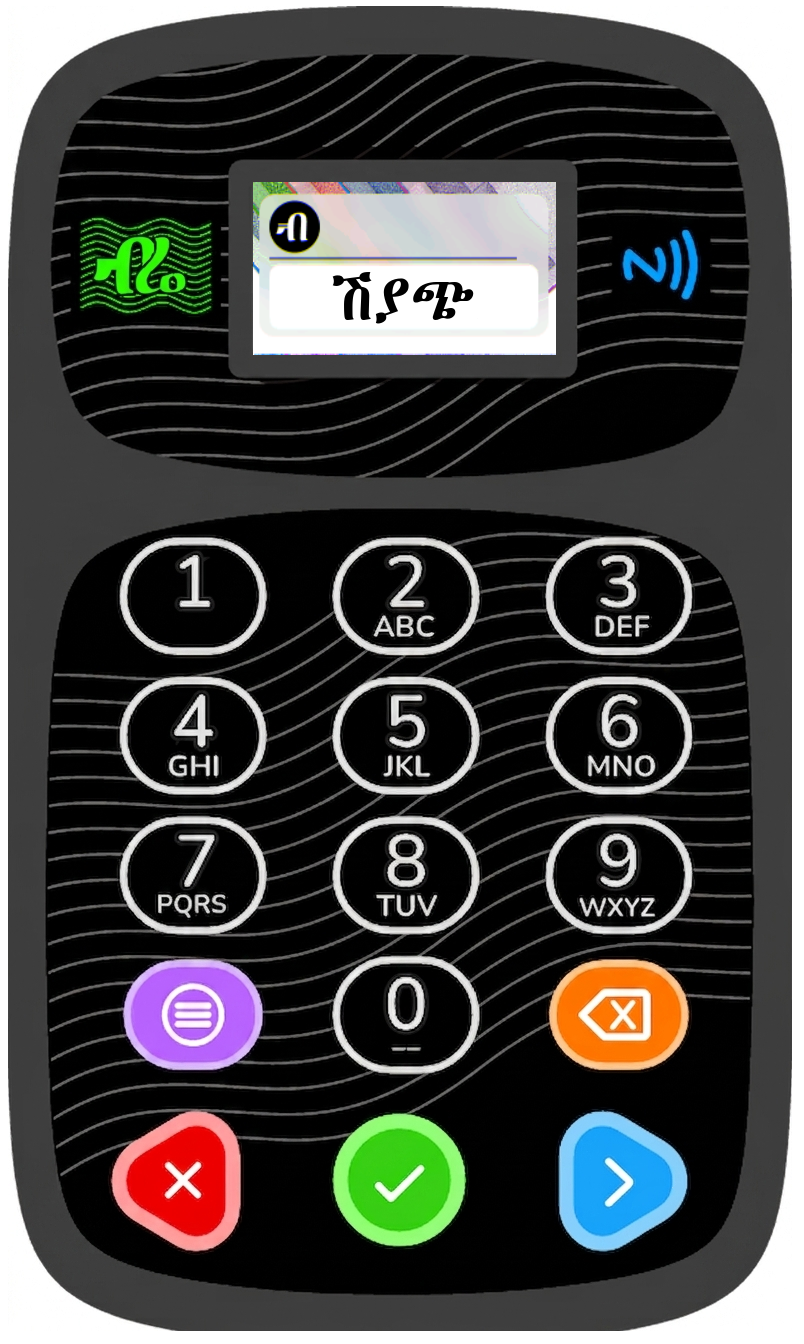
ነካ ምንድን ነው?
ነካ የእርስዎን ሽያጭ፣ ደረሰኝ አያያዝ እና የዕቃዎች አስተዳደር ቀልጣፋ ለማድረግ የተነደፈ ነው። የችርቻሮ ሱቅ፣ የአገልግሎት መስጫ ማዕከል ወይም ምግብ ቤት ቢኖርዎት ነካ ሁልጊዜ ለእርስዎ ዝግጁ ነው፦
- ከታክስ ሕግ ጋር የተጣጣሙ የኤሌክትሮኒክ ደረሰኞችን (E-invoices) መቁረጥ (ከተጨማሪ እሴት ታክስ (VAT)፣ ኤክሳይዝ ታክስ፣ ተቀናሽ ታክስ (withholding)፣ የክሬዲት እና ዴቢት ማስታወሻዎች ጋር)
- የዋጋ ዝርዝሮችን ማስተዳደር (ዕቃዎችን ማከል፣ ማስተካከል፣ መሰረዝ እና ማመሳሰል)
- ክፍያዎችን ማከናወን (በጥሬ ገንዘብ፣ በካርድ፣ በባንክ ዝውውር እና በብድር)
- ከERP ሥርዓቶች ጋር ማገናኘት ለሩቅ ቦታ ሕትመት (remote printing) እና ለማዕከላዊ አስተዳደር
- ከነካ ጋር አብሮ በሚመጣው ማተሚያ (thermal printer) ላይ ደረሰኞችን ማተም (58 ሚሜ ወይም 80 ሚሜ)
- ደኅንነትን ይበልጥ ለማጠናከር የጂፒኤስ (GPS) መገኛ ቦታን መከታተል
ዋና ዋና ባህሪያት በጨረፍታ
| ባህሪ | መግለጫ |
|---|---|
| የNFC ካርድ ማንበቢያ (NFC Card Reader) | ከNFC ካርዶች ጋር ይሠራል። |
| ማተሚያ (Thermal Printer) | ደረሰኞችን፣ የሽያጭ ሰነዶችን፣ የዋጋ ዝርዝሮችን እና ሪፖርቶችን ያትማል – 58 ሚሜ እና 80 ሚሜ ወረቀቶችን ይደግፋል። |
| ግንኙነት (Communication) | በዋይፋይ (WiFi) እና በGPRS መካከል መቀያየር ያስችላል። |
| የብዙ-ቋንቋ በይነገጽ (Multi‑language UI) | አማርኛ፣ ትግርኛ፣ አፋን ኦሮሞ፣ ሶማሊኛ እና እንግሊዝኛ (ለስክሪን እና ለሕትመት)። |
| የተጠቃሚዎች አስተዳደር (User Management) | የካርድ ደረጃዎችን መወሰን፣ መተግበሪያዎችን መቆለፍ እና መዳረሻን በፒን (PIN) ወይም በካርድ መቆጣጠር። |
| የERP ውህደት (ERP Integration) | የሩቅ ቦታ የሕትመት ትዕዛዞችን ለመቀበል እና ማዕከላዊ ቁጥጥር ለማድረግ የERP ሁነታን ማግበር። |
| ጂፒኤስ እና መገኛ ቦታ (GPS & Location) | ለደኅንነት እና ለሎጂስቲክስ ሥራዎች የመሣሪያውን መገኛ ቦታ መከታተል። |
| የሶፍትዌር ማዘመኛዎች (Software Updates) | በአየር ላይ የሚላኩ (OTA) ቀጥታ ማዘመኛዎች። |
ይህንን መመሪያ እንዴት መጠቀም እንደሚቻል
- መጀመሪያ ረድፍ (Getting Started) – መሣሪያውን ከሳጥን ማውጣት፣ ማዋቀር እና ማብራት።
- የተጠቃሚ በይነገጽ (User Interface) – ስክሪኑን፣ ቁልፎችን፣ ምልክቶችን (icons) እና ማሳወቂያዎችን መረዳት።
- መተግበሪያዎች (Applications) – ለሽያጭ (Sales)፣ ለPOS እና ለካርድ አስተዳደር የተዘጋጁ ዝርዝር መመሪያዎች።
- ቅንብሮች (Settings) – ኔትወርክ፣ ማሳያ (display)፣ ድምፅ፣ ደኅንነት፣ ፕሪንተር እና ሌሎችንም ማዋቀር።
- ዕክሎች መፍቻ (Troubleshooting) – ለተለመዱ ችግሮች መፍትሄ መፈለግ እና ለተደጋጋሚ ጥያቄዎች (FAQs) ምላሽ ማግኘት።
እርዳታ ይፈልጋሉ?
ለቴክኒክ ድጋፍ፣ ለሶፍትዌር ማዘመኛዎች ወይም ለተጨማሪ ሥልጠናዎች፦
- 📧 ኢሜይል፦ info@adcethiopia.com
- 🌐 ድረ-ገጽ፦ www.adcethiopia.com
- 📞 ስልክ: +251 93 007 6905
Welcome to NEKA User Manual
What is Wurii NEKA?
Wurii NEKA is designed to streamline your sales, invoicing and item management. Whether you run a retail shop, a service centre, or a restaurant, NEKA is there for you:
- Issue tax‑compliant E-invoices (with VAT, excise, withholding, credit and debit notes)
- Manage price lists (add, edit, delete, and sync items)
- Process payments (cash, card, bank transfer, credit)
- Register users with NFC cards and assign access levels
- Connect to ERP systems for remote printing and central management
- Print receipts on the thermal printer that comes with Neka (58mm or 80mm)
- Track location via GPS for enhanced security
Key Features at a Glance
| Feature | Description |
|---|---|
| NFC Card Reader | Works with NFC cards. |
| Thermal Printer | Print receipts, invoices, price lists, and reports – supports 58mm and 80mm paper. |
| Communication | Switch between WiFi and GPRS |
| Multi‑language UI | Amharic, Tigrigna, Oromiffa, Somali, and English (both screen and printout). |
| User Management | Set card levels, lock apps, and control access with PIN or card. |
| ERP Integration | Activate ERP mode to receive remote print commands and centralised control. |
| GPS & Location | Track device location for security and logistics. |
| Software Updates | OTA updates |
How to Use This Manual
- Getting Started – Unpack, set up, and power on your device.
- User Interface – Understand the screen, buttons, icons, and notifications.
- Applications – Detailed guides for Sales, POS, and Card Management.
- Settings – Configure network, display, sound, security, printer, and more.
- Troubleshooting – Fix common problems and find answers to FAQs.
Need Help?
For technical support, software updates, or additional training:
- 📧 Email: info@adcethiopia.com
- 🌐 Website: www.adcethiopia.com
- 📞 Phone: +251 93 007 6905